
Instagram Reels are dominating short-form content, and brands that integrate them into their websites are seeing higher engagement, longer session duration, and better conversions.
If you’re looking to embed Instagram Reels on your website, this guide covers everything — from tools to step-by-step methods, SEO benefits, and best practices.
Why You Should Embed Instagram Reels on Your Website

Embedding Instagram Reels is not just about aesthetics — it directly impacts your marketing performance.
Key Benefits:
1. Boost Engagement Instantly
Visitors are more likely to interact with video content than static images or text.
2. Increase Time on Site (SEO Boost)
Reels keep users engaged longer, reducing bounce rate — a key ranking signal.
3. Build Social Proof with UGC
Show real customer experiences instead of just brand messaging.
4. Improve Conversion Rates
Reels act as visual testimonials, helping users make faster buying decisions.
5. Keep Your Website Fresh Automatically
With auto-sync tools, your site updates every time you post a new Reel.
Best Tools to Embed Instagram Reels on Website
1. Taggbox – Best for Marketing & Conversions
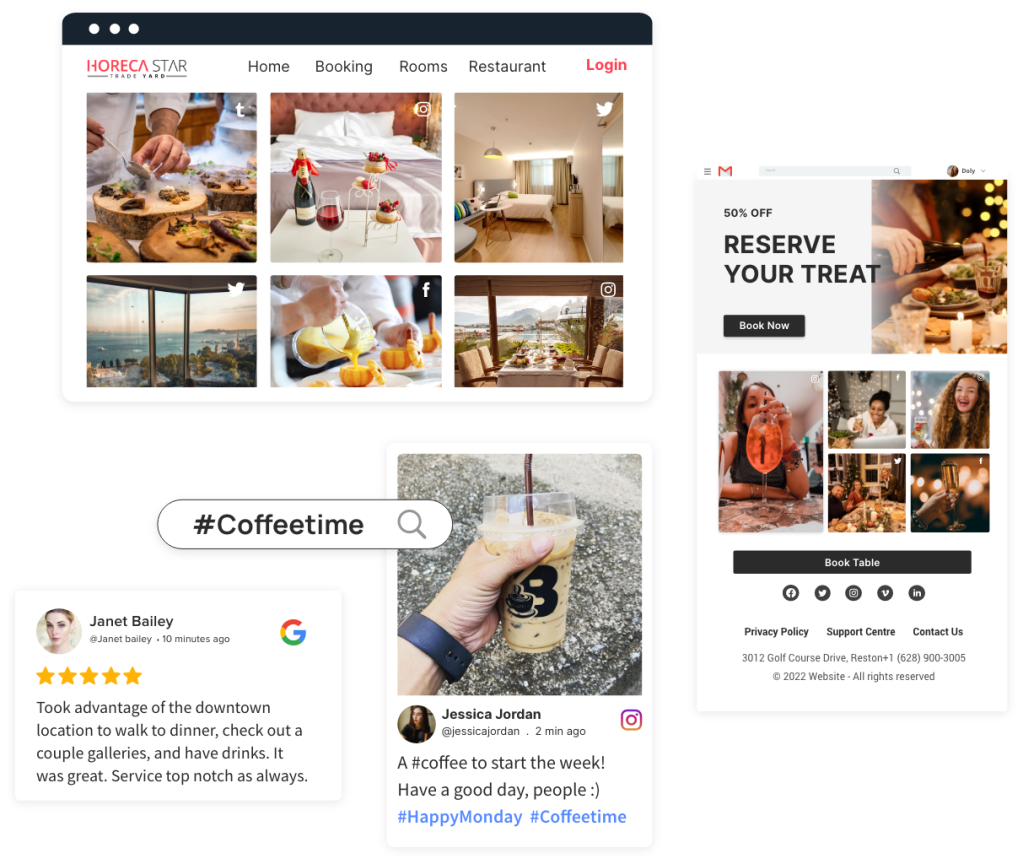
Taggbox is a powerful social media aggregator designed for marketers who want more than just embedding — it helps turn Reels into conversion-driven content blocks.
Detailed Features:
- Collect Reels using:
- Hashtags
- Handles
- Mentions
- Tagged content
- Advanced moderation (manual + auto rules)
- Smart layouts:
- Grid
- Carousel
- Slider
- Custom CSS & branding options
- Real-time updates (auto-sync)
- Performance-focused rendering (fast load)
Advanced Capabilities:
- Turn Reels into shoppable content
- Highlight top-performing UGC
- Filter out irrelevant or low-quality content
- Add CTAs within widgets
Use Case Example:
👉 An eCommerce brand embeds customer Reels showing product usage → increases trust → improves conversions.
Pros:
- Highly customizable
- Built for performance marketing
- Strong UGC capabilities
Cons:
- May feel feature-heavy for beginners
2. Tagembed – Best for Simplicity & Budget
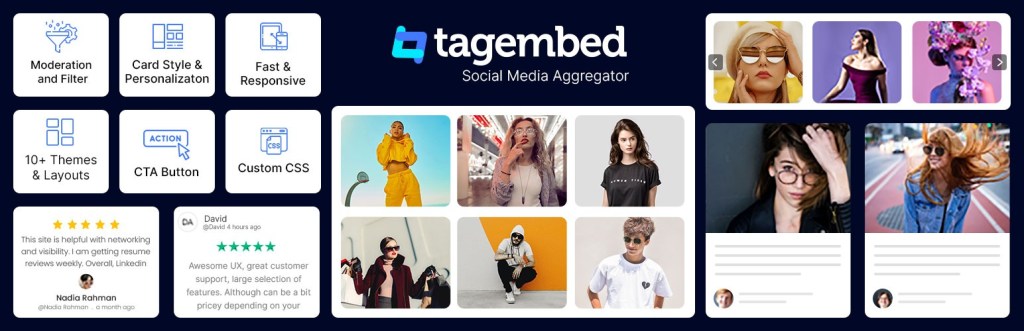
Tagembed is ideal for users who want a simple, fast, and affordable way to embed Instagram Reels.
Detailed Features:
- Supports 20+ platforms
- Easy embed methods:
- HTML code
- iFrame
- CMS integrations
- Custom themes and layouts
- Real-time syncing
- No coding required
Platform Integrations:
- WordPress
- Shopify
- Wix
- Squarespace
Use Case Example:
👉 A blogger embeds Reels on homepage → increases engagement → reduces bounce rate.
Pros:
- Beginner-friendly
- Affordable pricing
- Quick setup
Cons:
- Fewer advanced marketing features than Taggbox
3. SnapWidget – Best Free Option

SnapWidget is a basic tool for embedding Instagram content with minimal setup.
Features:
- Free widget generator
- Grid & slideshow layouts
- Auto-updating feeds
Best For:
- Small websites
- Personal blogs
Limitations:
- Limited customization
- Branding in free plan
4. LightWidget – Best for Lightweight Performance

LightWidget focuses on speed and simplicity, making it ideal for performance-focused websites.
Features:
- Fast-loading widgets
- Responsive layouts
- Clean UI
Best For:
- Portfolio sites
- Creators
5. Juicer – Best for Hashtag Campaigns

Juicer helps brands aggregate hashtag-based Instagram Reels and display them.
Features:
- Multi-platform aggregation
- Hashtag tracking
- Moderation tools
Best For:
- Campaigns
- Events
- Influencer marketing
6. Flockler – Best for Enterprise Brands

Flockler is designed for large-scale content operations and enterprises.
Features:
- Advanced moderation workflows
- Content scheduling
- Social commerce integrations
Best For:
- Large brands
- Media websites
How to Embed Instagram Reels on Website (Step-by-Step)
Method 1: Using an Embedding Tool
- Choose a tool (Taggbox / Tagembed)
- Connect your Instagram account
- Select Reels (via hashtag/handle)
- Customize layout and design
- Generate embed code
- Paste into your website HTML
👉 This method is best for automation + scalability
Method 2: Native Instagram Embed (Manual)
- Open the Reel on Instagram
- Click the three dots (⋯)
- Select Embed
- Copy embed code
- Paste into your website
Limitations:
- No customization
- No feed aggregation
- Manual updates required
Best Practices to Maximize SEO & Engagement
1. Place Reels Strategically
- Homepage (for attention)
- Product pages (for conversion)
- Landing pages (for ads)
2. Optimize Page Speed
- Avoid heavy scripts
- Use lazy loading where possible
3. Add Context Around Reels
- Use headings, captions, and CTAs
- Helps SEO + user understanding
4. Use UGC Reels
- Customer videos perform better than brand ads
5. Combine with CTA
- “Shop Now”
- “See More Reviews”
- “Try This Product”
Use Cases: Where to Embed Instagram Reels
eCommerce Stores
- Product pages with customer Reels
- Boost trust and conversions
SaaS Websites
- Showcase product usage videos
- Highlight customer testimonials
Agency Websites
- Display client work via Reels
Personal Brands
- Portfolio + social proof
Common Mistakes to Avoid
- Embedding too many Reels (slows site)
- Ignoring mobile optimization
- Not moderating content
- Using irrelevant or low-quality videos
FAQs (SEO Gold Section)
1. Can I embed Instagram Reels on my website for free?
Yes, using Instagram’s native embed or free tools like SnapWidget.
2. Do embedded Instagram Reels affect SEO?
Yes — they improve dwell time, engagement, and UX, which indirectly boosts rankings.
3. Do I need coding knowledge?
No. Most tools offer no-code embedding.
4. Can I customize Instagram Reels widgets?
Yes, tools like Taggbox and Tagembed offer full customization.
5. Will Reels update automatically on my website?
Only if you use a tool with auto-sync.
Final Verdict
If your goal is to embed Instagram Reels on your website and actually drive results, your tool choice matters:
- Taggbox → Best for conversions & UGC
- Tagembed → Best for ease & affordability
- Others → Good for basic use cases
👉 The real win is not just embedding — it’s turning Reels into conversion assets.
 Social Media Wall
Leave a comment