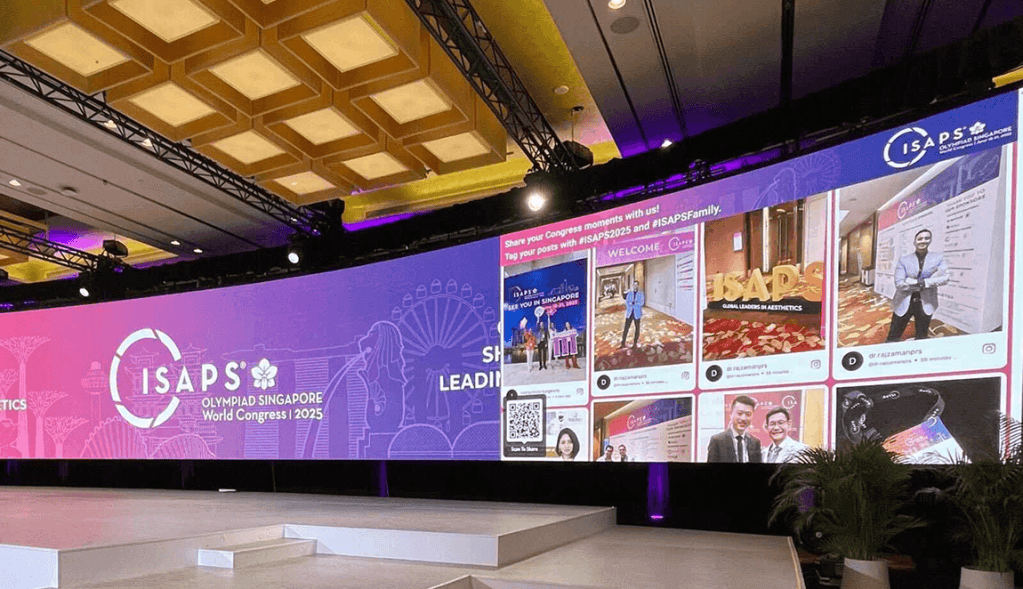
Displaying Instagram content at an event is an effective way to make the audience part of the experience. Instead of keeping Instagram activity on individual phones, event organizers can bring posts, Reels, photos, and attendee content onto large screens where everyone can see and interact with them.
The easiest way to display Instagram posts at an event is to use a social media wall that collects relevant Instagram content, applies moderation, and displays approved posts in real time on event screens, TVs, LED walls, or digital signage.
Why Display Instagram Content at Events?
Events generate a constant stream of social media activity. Attendees take photos, share experiences, mention brands, and use event hashtags. Displaying this content can turn those individual posts into a shared event experience.
An Instagram social wall can help:
- Encourage attendees to post about the event.
- Showcase authentic attendee experiences.
- Increase social media participation.
- Create more engaging event screens.
- Give sponsors additional visibility.
- Keep audiences interested between sessions.
- Turn social media activity into live event content.
When attendees see their posts appearing on a large screen, they have another reason to participate and share their experience.
How To Display Instagram Posts at an Event
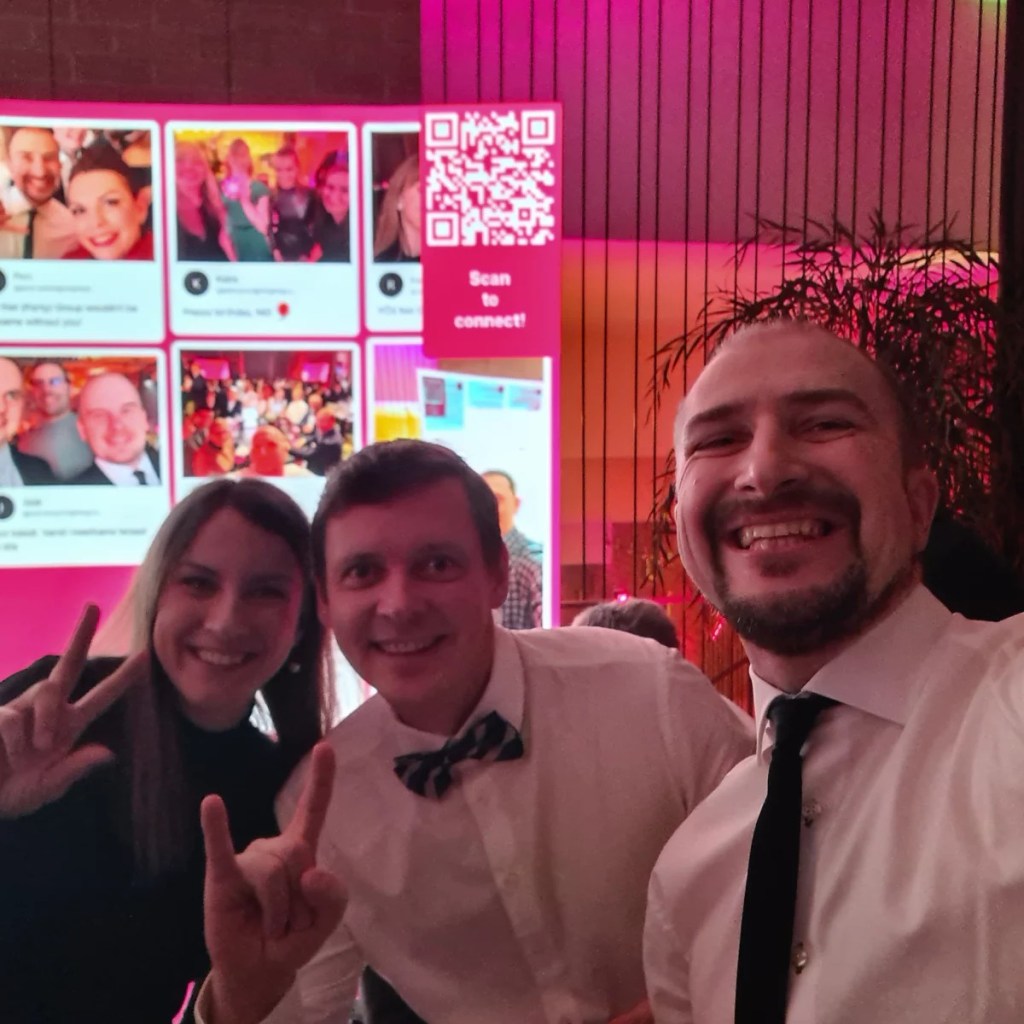
Follow these steps to display Instagram posts on event screens:
1. Choose a Social Media Wall
Select a instagram aggregator that can collect Instagram content and display it on event screens. Make sure it supports moderation, customization, and real-time content updates.
2. Connect Your Instagram Content
Connect the relevant Instagram source, such as an account, hashtag, or other supported feed. This allows the platform to collect posts related to your event.
3. Collect and Curate Posts
Set up the feed to collect relevant Instagram posts. Review the content and select posts that are appropriate for your audience, event, and brand.
4. Moderate the Content
Use moderation tools to filter unwanted, irrelevant, or inappropriate posts before they appear publicly. AI-powered moderation can help manage large volumes of content, while manual approval gives event organizers additional control.
5. Customize Your Instagram Wall
Customize the display to match your event branding. Add your logo, colors, fonts, layouts, or other design elements so the Instagram feed looks like a natural part of the event experience.
6. Connect the Display Screen
Choose where you want the Instagram wall to appear, such as a stage screen, TV, LED wall, digital signage display, or other large screen at the venue.
7. Display the Instagram Feed Live
Launch the approved Instagram feed on your event screen. As new content is collected and approved, it can be added to the live display, keeping the social wall fresh throughout the event.
8. Encourage Attendees to Participate
Promote your event hashtag and tell attendees how to share their photos and experiences. You can also add QR-based photo sharing to collect content from attendees who prefer not to post publicly on Instagram.
With Social Walls by Taggbox, event organizers can collect, moderate, customize, and display social content on multiple event screens while encouraging real-time audience participation.
5 Ways To Display Instagram at an Event
1. Create a Live Instagram Wall
A live Instagram wall collects selected Instagram content and displays it on a large event screen. You can create feeds around an event hashtag, Instagram account, mentions, or other available content sources.
For example, an event using a hashtag such as #TechSummit2026 can curate relevant posts and display approved content throughout the venue.
With Social Walls by Taggbox, event organizers can collect, moderate, customize, and display social content on event screens, digital signage, TVs, LED displays, and other large screens.
2. Display Instagram Posts With an Event Hashtag
An event hashtag makes it easier to organize social content around a specific event.
Promote the hashtag at registration desks, stage screens, entrance areas, networking zones, and printed event materials. Attendees can then use it when sharing event-related posts.
The collected content can be moderated before appearing on the event display. This helps organizers keep the screen relevant to the event and aligned with brand guidelines.
3. Add a QR Code for Instant Photo Sharing
Not every attendee will want to post publicly on Instagram. A QR code can provide another way for people to contribute photos, videos, or messages.
For example, organizers can place a QR code near an event photo booth or on venue screens. Attendees scan it with their phones, upload their content, and the approved submissions can appear on the event display.
Social Walls by Taggbox offers SnapUp, which lets attendees submit photos, videos, and messages through a QR-based experience without requiring a social media login.
This can help increase participation while giving organizers more content to display.
4. Showcase Instagram Content on Stage Screens
Instagram content does not have to remain in a dedicated social wall area. Curated posts can also become part of the main stage experience.
Event organizers can display selected attendee posts during breaks, highlight audience reactions, showcase speaker mentions, or feature memorable event moments.
This works particularly well for conferences, trade shows, exhibitions, product launches, festivals, and corporate events where audience participation is an important part of the experience.
5. Create Different Instagram Displays for Different Event Areas
Large events often have multiple screens across the venue. Instead of showing exactly the same content everywhere, organizers can create displays suited to different areas.
For example:
- Entrance: Welcome messages and event posts
- Main stage: Speaker mentions and audience reactions
- Networking area: Attendee photos and conversations
- Sponsor area: Branded social content
- Photo booth: Recently submitted photos
- Registration area: Event announcements and social activity
A multi-screen setup can make social content feel like an integrated part of the event rather than an isolated display.
How To Encourage More Instagram Posts
Simply putting up an Instagram wall may not be enough to generate participation. Tell attendees exactly how they can contribute.
Promote the event hashtag and participation instructions on screens, registration materials, event signage, and announcements. You can also encourage attendees to share photos from specific activities, sessions, booths, or branded experiences.
Interactive elements such as reactions, polls, leaderboards, or audience prompts can make the screen more engaging and give attendees additional reasons to participate.
What Should You Display From Instagram?
The most engaging content is usually content that feels connected to what is happening at the event.
Consider displaying:
- Attendee photos and videos
- Event hashtag posts
- Speaker mentions
- Brand mentions
- Product or booth experiences
- Audience reactions
- Behind-the-scenes moments
- Sponsor-related content
- User-submitted messages
The goal is to create a live stream of the event experience while maintaining control over what appears publicly.
Final Thoughts
Displaying Instagram at an event can turn social media activity into a live audience experience. By combining Instagram posts, event hashtags, QR-based photo sharing, moderation, and large-screen displays, organizers can create a more interactive environment and encourage attendees to participate.
A solution such as Social Walls by Taggbox can help event teams collect, curate, moderate, and display social content across event screens and digital displays. The result is a live social experience that keeps the audience connected to what is happening throughout the event.


Leave a comment