To add a Facebook hashtag to a social wall, choose a social media wall platform that supports Facebook content, connect your Facebook account or page, select the relevant hashtag-based content source, and publish the collected posts to your social wall. With Social Walls by Taggbox, you can collect, moderate, customize, and display social media content for events, digital signage, and other screens.
A Facebook wall can help you bring relevant Facebook posts into one live feed and showcase audience conversations, campaign content, and user-generated content in an engaging way.
What Is a Facebook Hashtag?
A Facebook hashtag is a word or phrase preceded by the # symbol that helps categorize content around a specific topic or campaign.
For example, an event organizer might use #TechConference2026 to encourage attendees to share their experiences on Facebook.
When people use the same hashtag in their posts, the content can become part of a broader conversation around your event, brand, or campaign.
A social wall can help turn this social activity into a visual experience by bringing relevant content together in one place.
How To Add a Facebook Hashtag To a Social Wall?
1. Choose a Social Media Wall Platform
Start by selecting a platform that supports Facebook content and allows you to collect and display social media posts.
Look for features such as:
- Facebook content collection
- Multiple social media sources
- Real-time updates
- Content moderation
- Custom layouts and themes
- Digital signage support
- Analytics
- Audience engagement tools
Social Walls by Taggbox provides tools for collecting, moderating, customizing, and displaying social media content across event screens, digital signage, TVs, and other displays.
2. Create Your Social Wall
Create a new social wall from your chosen platform and give it a name related to your campaign or event.
For example, if you are running a product launch, you could name your wall Product Launch Social Wall.
Creating a dedicated wall makes it easier to manage the content you want to collect and display.
3. Connect Your Facebook Source
Next, connect the Facebook source available through your social wall platform.
Depending on the platform’s current Facebook integration and permissions, you may be able to connect supported Facebook pages or other eligible content sources.
Follow the platform’s authorization process to give it the required permissions.
4. Add Your Facebook Hashtag
Once your Facebook source is connected, select the appropriate hashtag-based collection option if it is supported.
Enter the hashtag you want to monitor, such as:
#YourEventName
Make sure the hashtag is spelled correctly and matches the hashtag you are promoting to your audience.
If your event uses #SocialMediaSummit, for example, attendees can use that hashtag when sharing relevant content.
5. Collect Facebook Posts
After adding the hashtag, the platform can begin collecting eligible Facebook content associated with your selected source and hashtag.
Your collected content may include posts, photos, and other supported media.
This gives you a centralized Facebook hashtag feed that you can review before displaying it publicly.
6. Moderate the Content
Before publishing your Facebook posts, review the collected content.
Moderation helps you remove:
- Irrelevant posts
- Duplicate content
- Spam
- Inappropriate content
- Unwanted posts
For a public-facing social wall for events, moderation is especially important because the content may appear on large screens in front of attendees.
Social Walls by Taggbox provides moderation tools to help you control which content appears on your wall.
7. Customize Your Facebook Social Wall
Once your content is ready, customize the appearance of your social wall.
You can adjust elements such as:
- Layout
- Background
- Colors
- Fonts
- Logo
- Post styles
- Content arrangement
Choose a layout that fits the display you are using.
For example, a large LED wall at a conference may benefit from a highly visual layout, while a smaller venue screen may work better with a simple grid or carousel.
8. Publish the Social Wall
After customizing your wall, publish it on your preferred display.
You can use a Facebook social wall on:
- Event screens
- TVs
- LED walls
- Digital signage
- Venue displays
- Other compatible digital screens
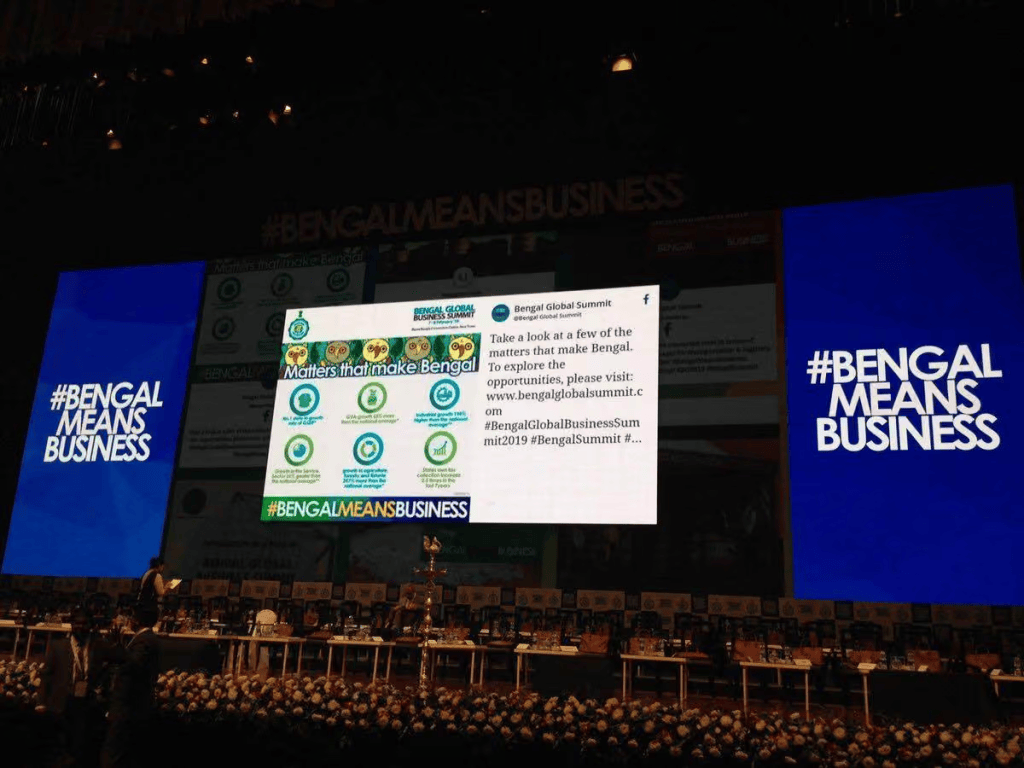
At an event, displaying the Facebook hashtag feed on a large screen can encourage attendees to participate because they can see the conversation becoming part of the event experience.
9. Encourage Your Audience To Use the Hashtag
Simply adding a hashtag to your social wall is not enough. You also need to encourage people to use it.
Promote your hashtag across:
- Event signage
- Registration areas
- Presentations
- Social media posts
- Event badges
- Promotional materials
You can also display a call to action on your social wall, such as:
“Share your event moments with #YourEventName”
The easier you make participation, the more content you can potentially collect.
Final Thoughts
Adding a Facebook hashtag to a social wall involves connecting a supported Facebook source, selecting the relevant hashtag-based content option, collecting and moderating posts, customizing your design, and publishing the wall on your chosen display.
With Social Walls by Taggbox, you can bring social content together, moderate it, customize its presentation, and display it across event screens, digital signage, TVs, and other displays.
A well-planned Facebook social wall can help you showcase user-generated content, encourage hashtag participation, and make your event or campaign more interactive.
Frequently Asked Questions
Can I add a Facebook hashtag to a social wall?
Yes, if your social wall platform supports the relevant Facebook content collection method. You can connect an eligible Facebook source, select the supported collection option, and display the content on your social wall.
How do I create a Facebook social wall for an event?
Choose a social wall platform, connect your supported Facebook source, collect relevant content, moderate the posts, customize the design, and publish the wall on an event screen or other display.
How can I encourage people to use my Facebook hashtag?
Promote your hashtag across event signage, presentations, social media posts, registration areas, and other audience touchpoints. A clear call to action can also encourage more people to participate.


Leave a comment