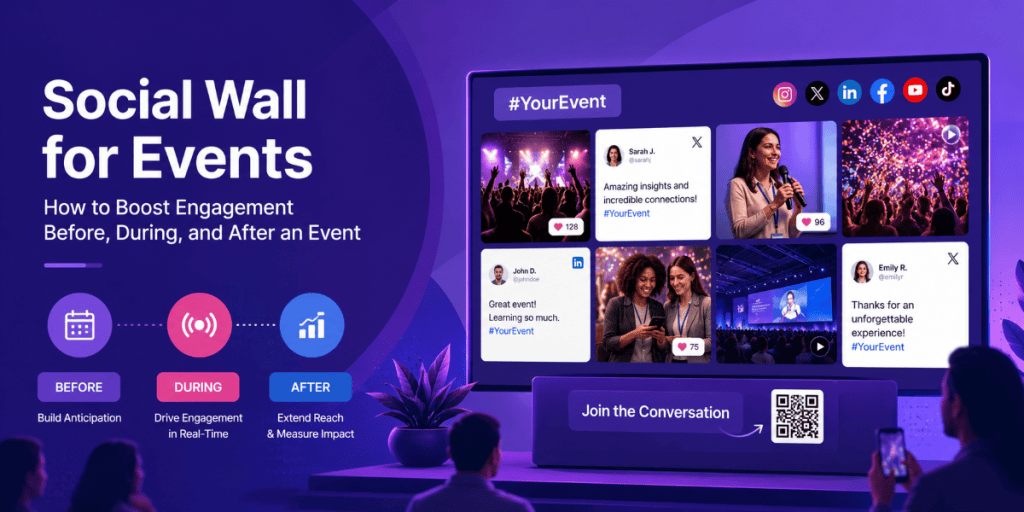
A social wall for events can turn event-related social content into a live experience that keeps audiences engaged before, during, and after the event. By collecting attendee posts, photos, videos, hashtags, and mentions, organizers can build anticipation, encourage real-time participation, showcase user-generated content, and extend the event conversation long after the venue closes.
What is a Social Wall for Events?
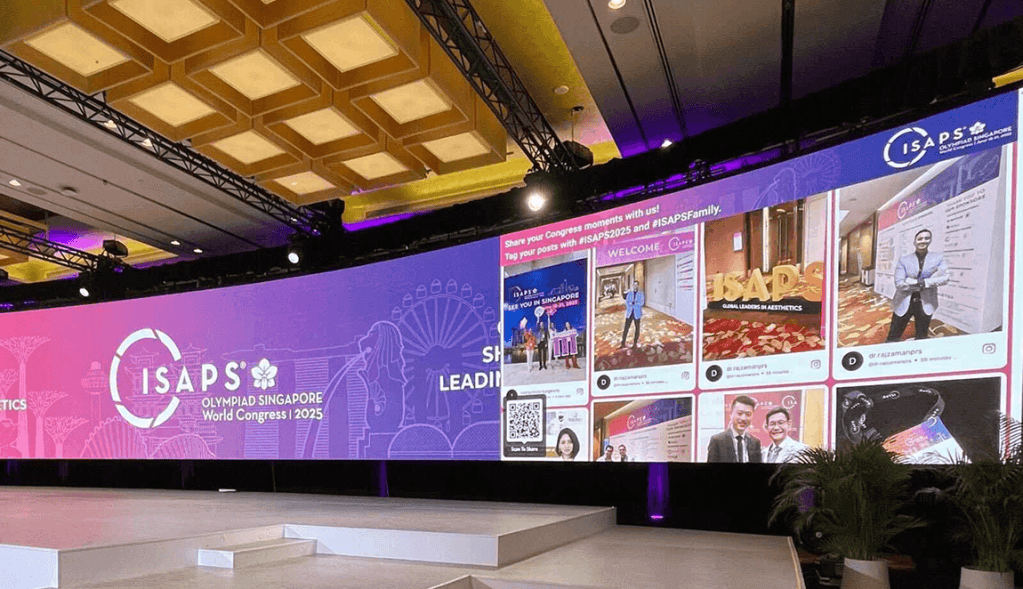
A social wall for events is a live display that collects and showcases social media content related to an event in one place. Content can come from hashtags, mentions, handles, profiles, keywords, or direct submissions and can be displayed on event screens, LED walls, digital signage, websites, and virtual event platforms.
For example, attendees can share photos or videos using the official event hashtag, while the social wall collects and displays selected content in real time.
This creates a simple engagement loop:
Share → Get featured → Get recognized → Encourage others to participate → Generate more content
The social wall therefore becomes more than a display. It becomes a live connection between the event, its attendees, and the wider online audience.
Why Use a Social Wall Before, During, and After an Event?
A social wall can support the complete event lifecycle instead of being used only when attendees are inside the venue.
Before the Event
Build anticipation by encouraging speakers, sponsors, partners, and registered attendees to share their excitement, use the event hashtag, and create content through experiences such as a Photo Booth.
During the Event
Turn attendee-generated content into a live experience by displaying posts, photos, reactions, polls, and other interactive content on event screens.
After the Event
Keep the conversation going by repurposing valuable attendee content for event recaps, social campaigns, future promotions, and other marketing activities.
How to Use a Social Wall Before an Event
Your social wall strategy should start before attendees walk through the venue doors. The goal is to create anticipation and give people a reason to start participating early.
1. Start Promoting Your Event Hashtag
Choose a short, memorable hashtag and introduce it across event invitations, social media posts, registration pages, speaker communications, and promotional materials.
Encourage attendees, speakers, sponsors, and partners to use the hashtag when sharing event announcements, travel plans, speaker information, or their expectations for the event.
The more visible and consistent the hashtag is before the event, the easier it becomes for attendees to recognize and use it.
2. Create Pre-Event Buzz With a Photo Booth
Encourage attendees, speakers, sponsors, and partners to use your Photo Booth to create branded, shareable content before the event.
For example, you could create a branded photo experience around the event theme and encourage participants to share their photos using the official hashtag.
This gives people something visual to share while building awareness before the event begins.
3. Showcase Speaker and Sponsor Content
Create anticipation by highlighting speaker announcements, sponsor posts, behind-the-scenes content, and event updates on your social wall.
This can help attendees discover who will be at the event and encourage speakers and sponsors to participate in the social conversation before the opening session.
4. Run a Pre-Event Contest
Give attendees a reason to participate before the event.
Ask them to share what they are most excited about, their travel plans, or a question they want answered during the event.
You can feature selected posts on your social wall or use them as part of a pre-event social campaign.
5. Use QR Codes to Encourage Early Participation
Place a QR code on registration emails, event materials, or promotional screens to make content submission easier.
With SnapUp, attendees can submit photos or other content directly, giving you another way to collect user-generated content beyond public social posts.
How to Use a Social Wall During an Event
Once the event begins, your social wall can become a central engagement point that continuously reflects what attendees are experiencing.
1. Display Live Attendee Posts
Show selected attendee photos, videos, mentions, and event posts on large screens throughout the venue.
Seeing their content appear on the screen gives attendees a visible reward for participating and can encourage others to share their own experiences.
2. Add Live Reactions
Use Reactions to let attendees respond to displayed content and create another layer of interaction.
Instead of simply watching the social wall, attendees can actively engage with what appears on the screen.
3. Run Live Polls
Use Live Polls during keynote sessions, panels, workshops, or presentations to collect audience opinions.
For example:
“Which trend will have the biggest impact on your industry?”
Display the results live so attendees can immediately see how their opinions compare with the rest of the audience.
4. Turn Engagement Into a Competition
Use Leaderboards and Gamification to encourage attendees to participate throughout the event.
You could recognize people based on social posts, content submissions, reactions, contest participation, or other event activities.
This adds a competitive element while giving attendees a reason to remain active.
5. Create a Live Photo Wall
Combine your Photo Booth with the social wall to create a continuous stream of branded attendee photos.
Place the Photo Booth near a visible social wall so participants can immediately see how their content becomes part of the event.
6. Collect Content With SnapUp
Not everyone wants to publish event content publicly.
Use SnapUp to give attendees a direct way to submit photos and other content through a QR-based experience.
This can help organizers collect more user-generated content while making participation accessible to people who prefer not to post on their social profiles.
7. Highlight Speakers and Key Moments
Use the social wall to showcase speaker mentions, session takeaways, memorable quotes, audience reactions, and important event moments.
This can help attendees discover conversations happening across different sessions and create additional visibility for speakers.
8. Give Sponsors More Visibility
Create dedicated opportunities to showcase sponsor-related content alongside attendee posts.
For example, you could display sponsor mentions, branded campaign content, booth activity, or attendee experiences related to sponsors.
This gives sponsors a more engaging presence than static logos alone.
9. Use Studio to Mix Social and Event Content
With Studio, you can combine social media content with other media such as images, videos, announcements, sponsor messages, polls, or leaderboards.
This keeps your event screens useful throughout the day instead of showing only a continuous social feed.
10. Keep Attendees Updated in Real Time
Use Real-Time Updates to keep content fresh and Ticker to display important information such as announcements, schedules, session updates, or sponsor messages.
This allows your social wall to become both an engagement channel and an information display.
How to Use a Social Wall After an Event
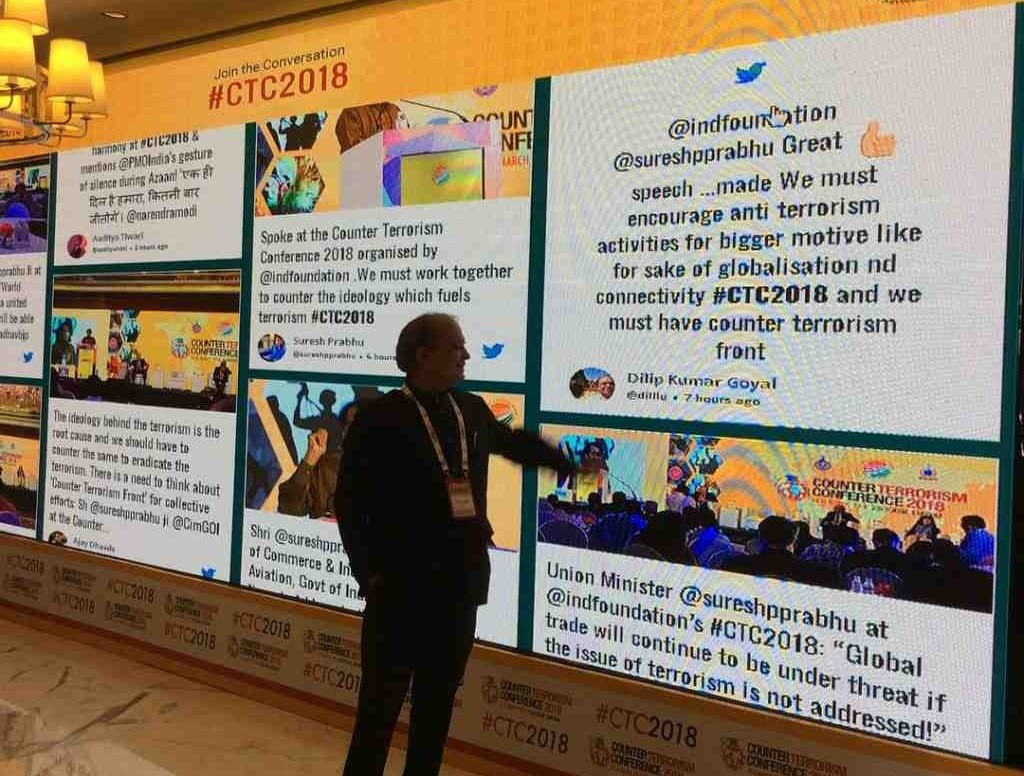
The value of an event social wall doesn’t have to end when attendees leave.
The content collected during the event can become part of your post-event marketing strategy.
1. Create an Event Recap
Use selected attendee photos, videos, reactions, and posts to create an event recap.
Real attendee content can help communicate what the event actually felt like rather than relying only on professionally produced event photography.
2. Repurpose User-Generated Content
Download valuable social content and data and reuse it for:
- Social media posts
- Event recap pages
- Email campaigns
- Promotional materials
- Future event campaigns
- Sponsor reports
- Highlight videos
3. Continue the Social Conversation
Keep sharing selected attendee content after the event to maintain momentum.
You can highlight memorable moments, speaker quotes, attendee reactions, and community posts while thanking participants for being part of the event.
4. Promote Your Next Event
Use the content generated at this event to create anticipation for your next one.
Photos of engaged attendees, positive reactions, packed sessions, and memorable moments can demonstrate the experience potential attendees can expect next time.
5. Share Insights With Sponsors
Use social wall analytics to demonstrate event activity and audience engagement to sponsors.
Metrics such as content volume, impressions, views, clicks, reactions, and other available engagement data can help show the value generated around the event.
How to Get More Engagement From Your Social Wall
Simply displaying a social wall doesn’t guarantee that people will participate. Give attendees a clear reason, simple instructions, and a visible reward.
Make Participation Easy
Use a short hashtag, clear calls to action, and QR-based experiences such as SnapUp to reduce friction.
Tell Attendees What to Share
Instead of simply saying “Post about our event,” give attendees a specific prompt.
For example:
“Share your biggest takeaway from today’s keynote using #EventName.”
Make the Hashtag Visible
Display the hashtag on stage screens, event signage, badges, registration materials, and other high-traffic areas.
Recognize Contributors
Feature attendee posts, run contests, or use leaderboards to give participants a visible reason to contribute.
Keep the Content Fresh
Use real-time updates and a mix of social posts, photos, videos, announcements, polls, and other media to keep the experience dynamic.
Moderate Content
Review user-generated content before displaying it publicly to ensure the social wall remains relevant and appropriate for your event.
Final Takeaway
A social wall for events can support audience engagement throughout the entire event lifecycle.
Before the event, use hashtags, Photo Booths, speaker content, and QR-based experiences to build anticipation. During the event, use live social content, Reactions, Live Polls, SnapUp, Leaderboards, Gamification, Studio, and real-time updates to turn attendees into active participants.
After the event, repurpose valuable user-generated content, share event highlights, measure performance, and use the insights to improve future events.
The goal isn’t simply to put social media on a screen. It’s to create a continuous experience where attendees see, share, participate, and connect before, during, and after the event.


Leave a comment